Tips For A More Secure Facebook Account
Want to be private and secure on Facebook and social media? By using those sites you agree to give up a certain amount of privacy - but that doesn’t mean you have to give up all of it. Here’s how to secure your Facebook account and limit what the platform, and everyone on it, can learn about you.
Why Facebook Is A Privacy Risk By Design
If you had to list the top websites that collect your data, Facebook would be near the top. It can’t help it - data collection is the business model. The entire experience is tailored to creating, collecting, and analyzing information about who we are and what we do online, then using it to sell precisely targeted advertising.
Think about it: the very act of opening a social media account involves handing over your information, creating a profile, and filling it with personal details. Facebook’s own data policy is explicit - it collects the things you do and the information you provide, information others share about you, your networks and connections, payment information, details about your devices, and data from the countless third-party websites and apps that embed Facebook’s tracking tools. That information is shared with advertisers, analytics services, partner companies, and app developers.
And beyond the platform itself, social media creates a virtual crowd - and like real crowds, it attracts crime. Scammers, catfishers, identity thieves, and account hijackers all treat Facebook as a hunting ground, precisely because so much personal information is concentrated there.
Facebook Privacy Tips: Limit What You Give Away
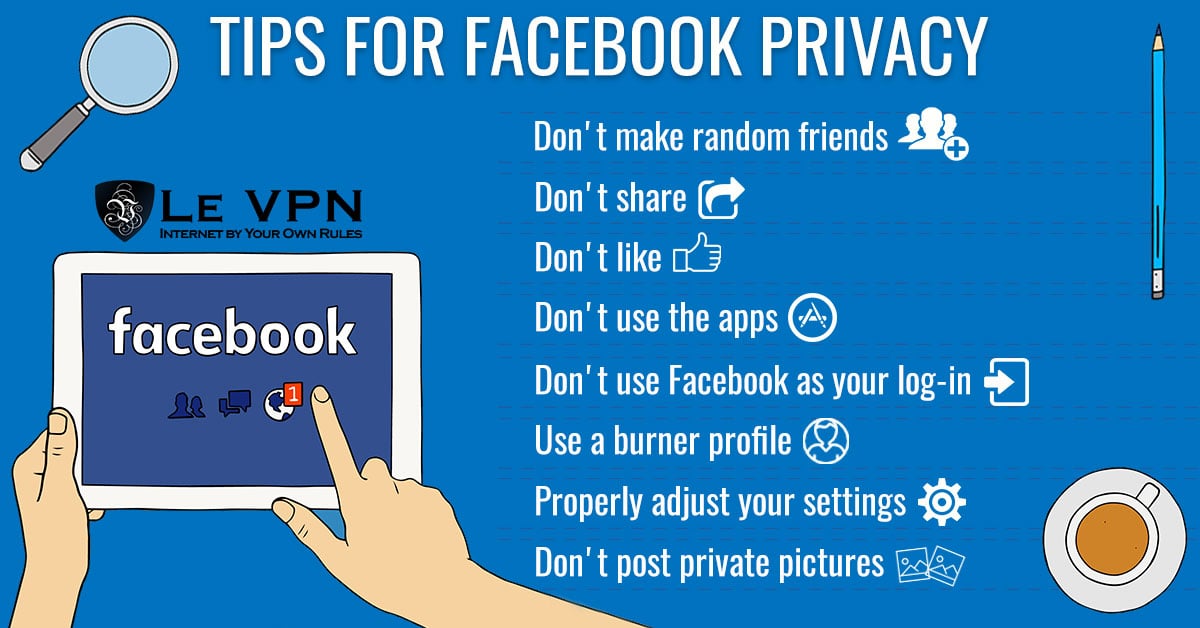
The only way to guarantee complete privacy on social media is not to use it - but realistically, most of us aren’t quitting. So the first line of defense is disciplined behavior:
- Don't accept random friend requests. Bots, trolls, and scammers use fake profiles to reach their next mark. A popular scam called catphishing starts with a friendly stranger and ends with a hacked account, stolen identity, or money sent to a fraudster. Keep your friends list to people you actually know.
- Share less. Every share, quiz, and meme generates data about your interests. Limit your sharing to things of real worth, and control who sees each post using the audience selector.
- Be stingy with likes and reactions. Each one is a data point in your behavioral profile. Researchers have shown that patterns of likes alone can reveal personality, politics, and more.
- Avoid third-party apps and quizzes. Games and personality quizzes are classic data-harvesting fronts. Review the apps connected to your account and remove anything you don't actively use.
- Don't use "Log in with Facebook" on other sites. It hands Facebook a record of the services you use, and it means one compromised account unlocks many. Use unique credentials (a password manager makes this painless).
- Think before posting photos. Anything you post can be screenshotted and re-shared beyond your control. Never post images of documents, tickets, or anything you wouldn't want to see somewhere else on the internet.
- Consider separating audiences. Some users keep a tight profile for close friends and family and a separate, minimal one for public groups and casual use - layers, like an onion.
Facebook Security Settings Worth Changing
The second line of defense is the account settings themselves. Facebook’s settings move around as the interface evolves, but the important controls persist - work through your Settings & Privacy area and check each of these:
- Two-factor authentication. The single most effective setting. With 2FA enabled, a stolen password alone can't take over your account. Use an authenticator app rather than SMS if possible.
- Login alerts. Turn on notifications for logins from unrecognized devices, and periodically review the "Where you're logged in" list - sign out any session you don't recognize.
- Who can see your posts. Set the default audience to Friends (or a custom list), not Public. You can also retroactively limit the audience of all your old posts in one action.
- Who can look you up. Restrict the ability to find your profile via your email address or phone number, and control whether search engines link to your profile.
- Timeline and tagging. Require your review before posts you're tagged in appear on your profile, and limit who can post on your timeline.
- Off-Facebook activity. Review and clear the data that third-party websites and apps send to Facebook about your visits, and disconnect future activity if you don't want it linked to your account.
- Ad preferences. Limit ads based on data from partners and on your relationship status, employer, education, and interests.
- Trusted contacts and recovery options. Keep your recovery email and phone current so an attacker can't hijack account recovery - and so you can get back in if something goes wrong.
None of these settings make you anonymous - Facebook still sees everything you do on Facebook - but they dramatically shrink your exposure to other users, search engines, scammers, and third-party apps.
How To Secure Social Media Accounts Beyond Facebook
Securing your account is a two-pronged effort. The first prong is everything above: strong unique passwords, 2FA, tight privacy settings, and restrained sharing - and the same logic applies to Instagram, TikTok, X, and every other platform.
The second prong is securing the connection you use to reach social media in the first place. That means keeping your devices updated, running reputable anti-malware protection, and using a trusted VPN service such as Le VPN. A VPN encrypts your entire internet connection, which protects your logins from eavesdroppers on public Wi-Fi - a classic way accounts get hijacked - and hides your real IP address, denying trackers one more identifier to tie your browsing together. In countries where Facebook and other social networks are censored, connecting through one of Le VPN’s servers in 100+ locations also keeps your access open; the Stealth WireGuard protocol is designed to work even on networks that try to detect and block VPN traffic.
One Le VPN account protects up to 10 devices simultaneously, with apps for Windows, macOS, iOS, and Android - and a 30-day money-back guarantee on your first purchase. Social media may be built to know everything about you, but with the right habits, the right settings, and an encrypted connection, you decide how much it gets.
About the author

Guest Author
Vuk Mujović is the founder of MacTíre Consulting, an analyst, data management expert, and a long-term writer on all things business & tech. He authored blogs, articles, and opinion pieces aimed to help both companies and individuals achieve growth without compromising their security.
Articles by Vuk Mujović →
